 CollectorCtrl
SMTP Settings & Alert Notifications
CollectorCtrl utilizes an integrated email dispatch service to deliver critical operational alerts, password recovery links, and administrative security notifications.
1. SMTP Relay Configuration
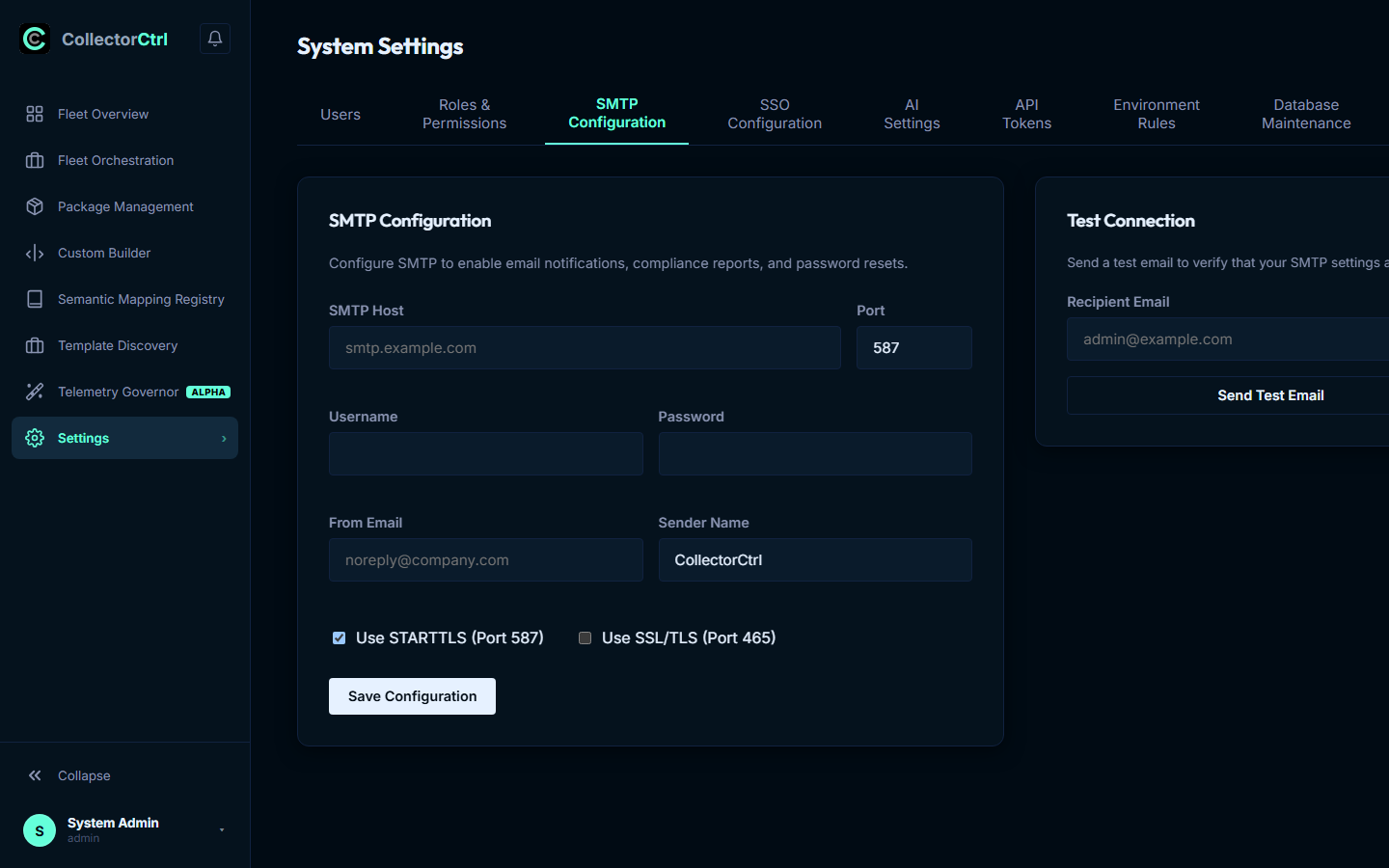
Link CollectorCtrl to your corporate mail server or transactional email provider (e.g. Amazon SES, SendGrid, Mailgun, Microsoft 365) under Settings -> SMTP Configuration:
 Expand
Configuration Parameters
- Host & Port: Destination mail server address. Standard configurations:
- Port
587with STARTTLS (recommended for cloud relays). - Port
465with SSL/TLS. - Port
25for internal unauthenticated relay networks.
- Port
- Authentication: Username and password. Leave blank if your relay authorizes by source IP.
- From Sender Profile: Outbound sender address (e.g.
alerts@collectorctrl.internal) and display name (e.g.CollectorCtrl Ops). - Protocol Toggles: Dedicated checkboxes to enforce TLS or SSL socket negotiation.
2. Password Masking & Security
To prevent administrative credential disclosure:
- API Masking: When loading settings, the REST API returns the password masked as
"********". - Zero-Disclosure Preservation: When saving updates to other fields (such as changing host or port), submitting
"********"instructs the backend to preserve the existing encrypted database password without re-prompting.
3. Connection Diagnostics & Testing
Verify mail routing directly from the settings view:
- Click Test SMTP Connection.
- Specify a recipient email address.
- The server executes a live dry-run (
email.SendWithSettings):- Negotiates the TCP socket connection and TLS handshake.
- Transmits a test HTML template message.
- Returns a real-time diagnostic trace reporting socket latency or exact connection error details (e.g.
535 Authentication credentials invalidori/o timeout).