 CollectorCtrl
Users & Custom Roles (RBAC)
CollectorCtrl incorporates an enterprise-grade Role-Based Access Control (RBAC) model. Every administrative operation -- from viewing live telemetry to publishing configuration policies, executing remote restarts, or approving AI actions -- is authorized against fine-grained capability sets.
1. User Account Administration
Manage user accounts under Settings -> User Management:
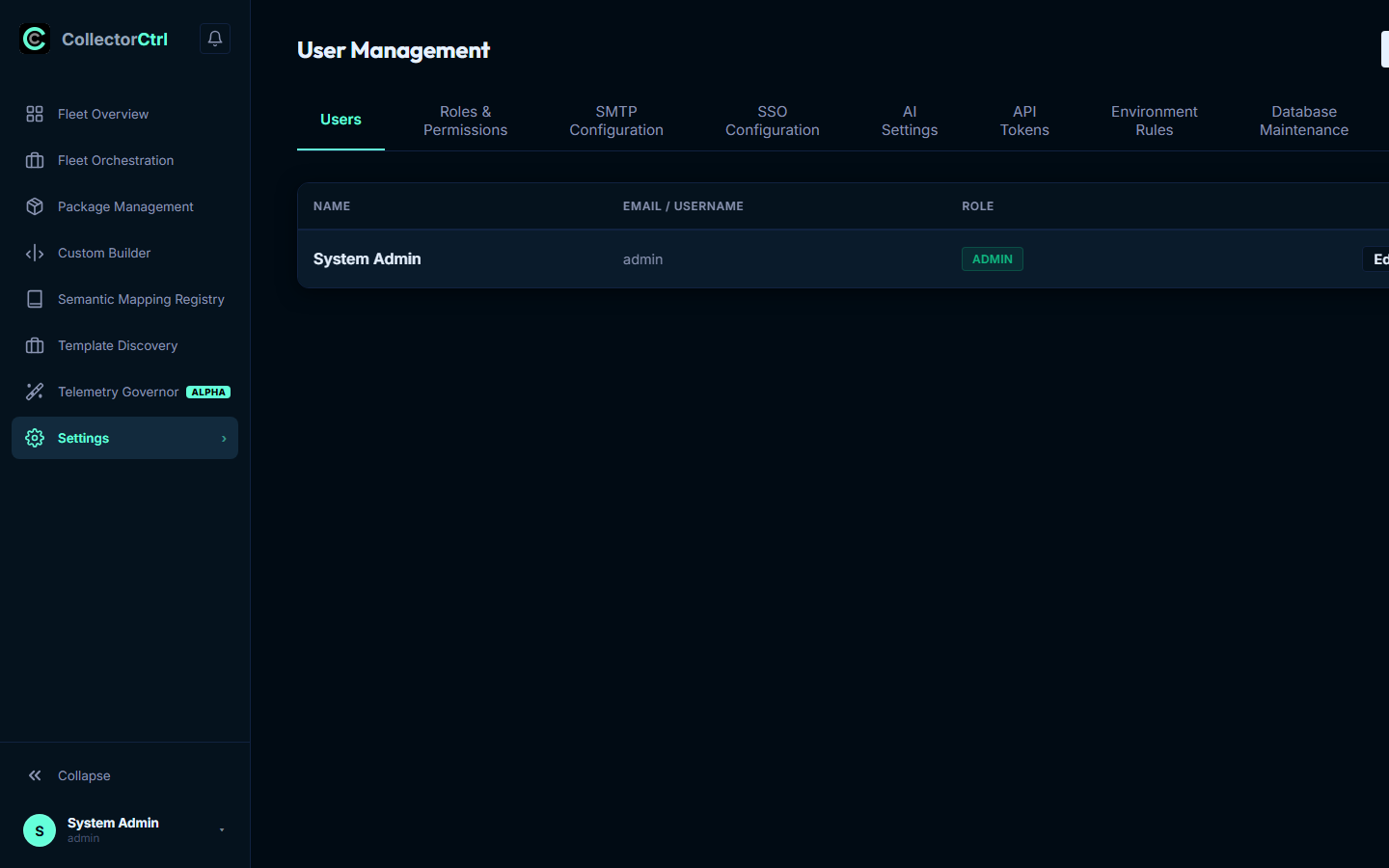 Expand
User Types & Authentication Modes
- Local Accounts: Managed directly within the CollectorCtrl database (
userstable). Passwords are encrypted on the server using Bcrypt hashing. Local accounts support forced password resets, account locking, and emergency break-glass access. - SSO Federated Accounts (OIDC): Provisioned on-demand when users authenticate via enterprise Identity Providers (Azure AD / Entra ID, Okta, Keycloak). Federated accounts do not possess local passwords; authentication and group claims are delegated to the IdP.
2. Standard Built-in System Roles
CollectorCtrl ships with three pre-configured system roles:
| System Role | Operational Scope | Default Capabilities |
|---|---|---|
| Admin | System Administrator | Unrestricted system-wide access. Can manage SSO providers, create API tokens, define custom RBAC roles, manage databases, and bypass approval workflows (when explicitly configured). |
| Editor | Infrastructure Operator | Full day-to-day fleet management. Can author configuration templates, execute canary rollouts, build custom OCB collectors, upload packages, manage semantic mappings, and restart edge daemons. Blocked from system-level settings, audit export, and user provisioning. |
| Viewer | Read-Only Auditor / Developer | Read-only inspection across fleet inventory, configuration YAML trees, telemetry samples, and audit events. Blocked from executing any mutating commands or updating policies. |
3. Custom Roles & Capability Reference
For organizations requiring segregation of duties, CollectorCtrl supports Custom Roles:
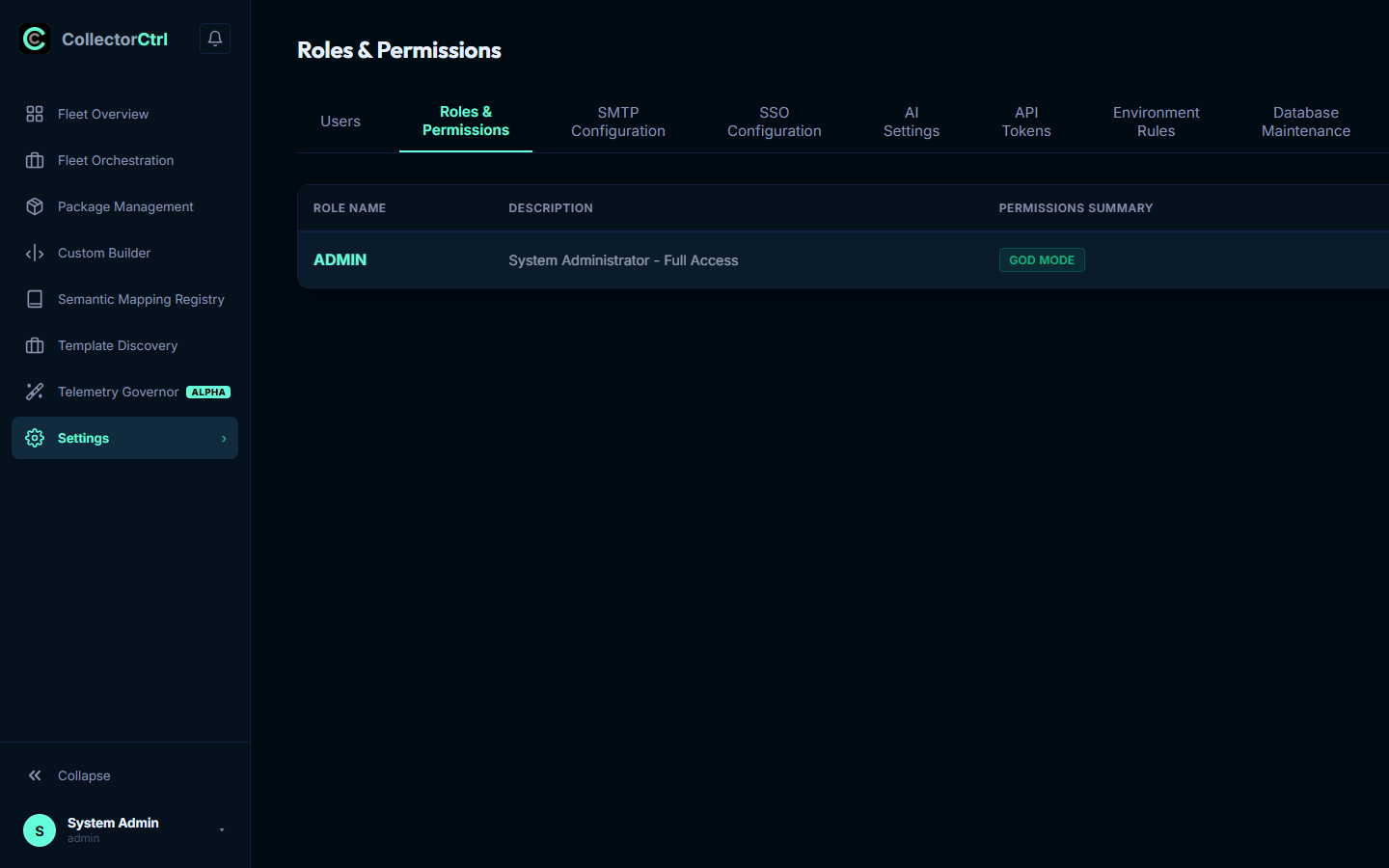 Expand
Permission Domains Reference
Custom roles map specific feature domains to discrete actions:
| Feature Domain | Available Actions | Operational Scope |
|---|---|---|
fleet | view, configure, control | View agent inventory; author/push YAML configurations; execute remote restarts and log captures. |
policies | view, configure, control | Inspect, publish, and rollback fleet-wide GitOps configuration policies. |
governor | view, configure, control | Inspect telemetry volume & cardinality; toggle live agent tapping; configure S3 destinations; run What-If simulations. |
zerotouch | view, configure | Inspect auto-discovered application runtimes; configure non-invasive APM auto-injection baselines. |
supervisors | view, configure, control | Manage edge Supervisor daemons, sidecar port allocations, and remote service upgrades. |
builder | view, create, download | Access the OpenTelemetry Custom Collector Builder (OCB); compile bespoke collector binaries. |
packages | view, upload | Manage binary packages; upload release manifests; trigger fleet binary rollouts. |
registry | view, update, generate | Centralized OTel Semantic Conventions mapping; import/export vendor translation tables. |
discovery | analyze, tag | Service discovery inventory and structural YAML template discovery. |
mcp | view, approve, auto-approve | Inspect Model Context Protocol tools; approve pending AI actions (Two-Person Rule); grant unattended auto-approval. |
system | view, git, env_rules, smtp, webhooks, database | Manage GitOps providers, fleet classification rules, mail relays, alert channels, and database snapshots. |
audit | view | Query compliance audit trails and export activity logs. |
users | view, manage | Provision local accounts and assign roles. |
4. Custom Role JSON Schema
Custom roles are stored in the custom_roles database table with fine-grained permissions encoded as JSON:
{
  "name": "SecOps Auditor",
  "description": "Read-only access to audit trails, SIEM streaming, and package manifests",
  "permissions": {
    "fleet": ["view"],
    "audit": ["view"],
    "packages": ["view"],
    "governor": ["view"],
    "system": ["view"]
  }
}